
Superbud Shops pulls brand logos and descriptions directly from Dutchie's Brand Portal that is configured by Brand stakeholders. If a brand is missing a logo or description across your Shop, the brand has not configured their Dutchie Brand Portal.
Superbud Shop's deep integration with Dutchie allows Superbud to pull brand information directly from Dutchie's Brand Portal content management system. This allows for our Retail Partners to focus more so on what matters and less on ensuring all brands on their menu have up to date logos and descriptions across their menus.
However, if a brand has not configured their Brand Portal through Dutchie their logo and description may appear blank across Superbud Shop. These brand logos and descriptions appear in (2) primary locations across your Superbud Shop:
- In the "Shop by Brand" carousel on your main Shop Homepage directly beneath the "Flower Faves" Carousel and above the "Staff Picks Under $25" carousel (if configured).

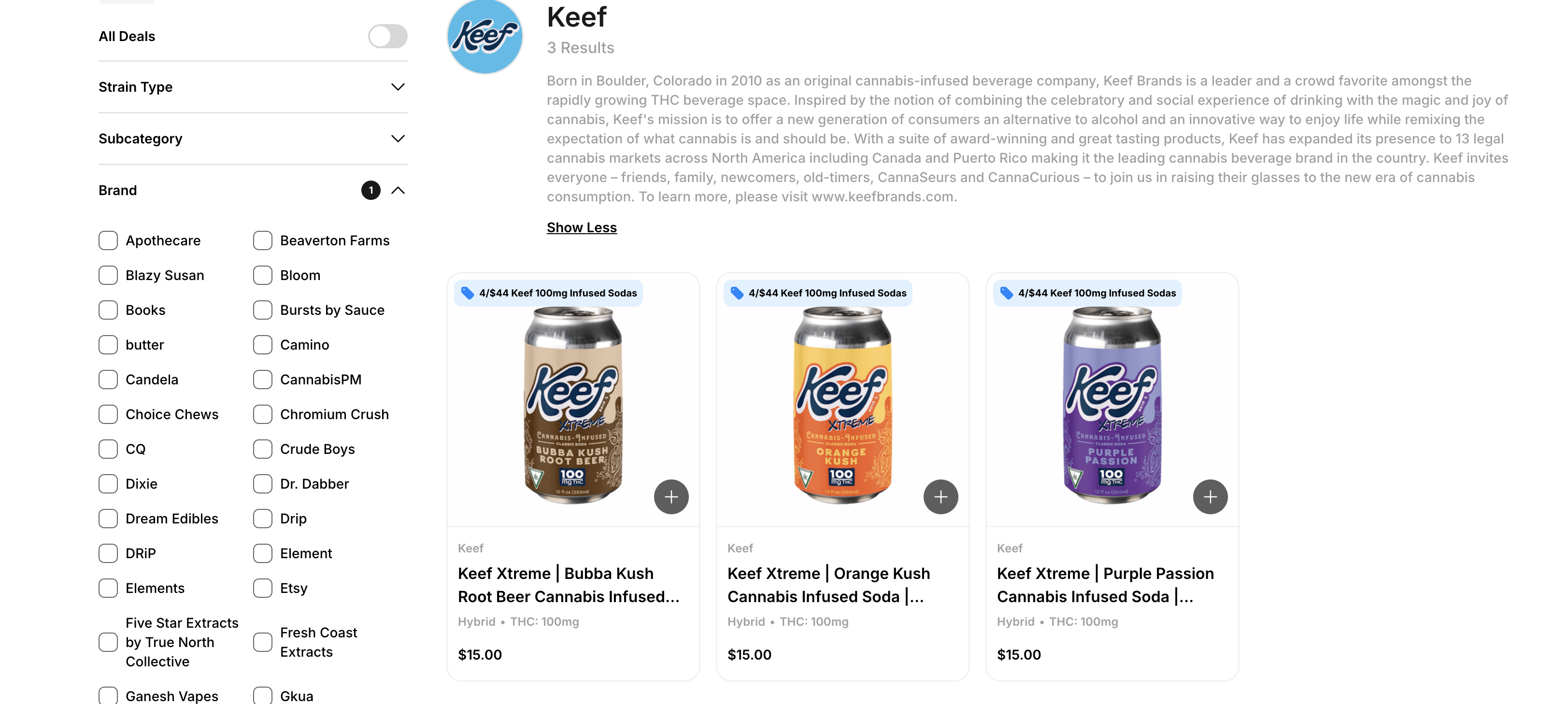
- At the top of each respective brands Shop Page. Brand Shop Pages can be accessed via the "Shop by Brand" carousel or by selecting a single-brand as a filter on the all product shop page.
Dutchie's Brand Portal is FREE for all brands to access and host their brand content for their Dutchie Retail Partners. To get your brand or your partner's brand started with their Dutchie Brand Portal, reach out to brandsupport@dutchie.com to schedule time with a Dutchie Brand Success Manager for an onboarding call.
During onboarding, a Dutchie Brand Success Manager will give you a quick tour of the Dutchie Brand Portal and add you as an Admin to your brand account. You will receive an email notifying you of your account creation. The email will contain a link to complete account creation by setting a password.
You can then log in by navigating to brands.dutchie.com and entering your password.